

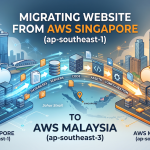





I finally took the time to migrate from the AWS Singapore SIN region over to the AWS Malaysia KUL region. I totally forgot that Amazon Lightsail was now available in the Kuala Lumpur region so I decided to migrate over to KL. This attempt took me a couple of tries to also move things over and I learned quite a fair bit of things along the way.
Attempt 1
I spun up a new Lightsail instance in the KUL region using the updated WordPress Blueprint, since the old Bitnami version is no longer supported. The best part of the new blueprint? It handles automatic SSL certificate renewals perfectly. However, after exporting my old WordPress entries from the SIN instance and importing them into the new KUL setup, I realized only the posts and content transferred—the media files were completely missing. Rather than dealing with migration plugins to fix the gap, I decided it was cleaner to just terminate the instance and start fresh.
Attempt 2
Since a manual export and reimport was turning into a major project, I decided to pivot and stick with the existing Bitnami setup for now. I took a snapshot of the old instance in the SIN region, copied it over to the KUL region, and spun up a new instance from it. Voila—everything was moved. The real headache started with the SSL setup. Even after tearing down and rebuilding the networking from scratch—creating a new static IP, setting up a fresh DNS zone, and updating GoDaddy with the new nameservers—the Let’s Encrypt automatic SSL setup kept throwing errors. I finally downloaded the error logs, pulled them into Amazon Q Developer, and let AI decipher them. It turns out the old Certbot configuration and legacy folder structures were causing the conflict.
Attempt 3
So I deleted the newly created KUL instance again because it still ran the old Bitnami stack and recreated a new instance with the new Lightsail WordPress blueprint from scratch. Used All-in-One Migration plugin to export out the old SIN wordpress backup which took a while due to its size (6Gb). After I did that, I tried to reimport it into the new instance only to find a limit on 80mb file uploads. I needed to pay for an extension in order to circumvent that. Ok, back to Googling and had a quick chat with my team mate. Found Migrate Guru which was super easy to use. All I needed to do was to ensure both instances had the plugin installed, copied the key across and voila, a single click of a button and the two instances were transferring data to one another. Once the transfer was done, I then started building back up the DNS zones and networking.
Conclusion
I finally managed to clear all of my DNS caches and also figured out why GoDaddy was forwarding my domain to their lander page (basically the page to showcase parked domains). Anyway, everything seems to be fixed now and I am running my current site in the AWS Kuala Lumpur region (KUL)! Woohoo, I wonder if that would translate to a cheaper cost for me as my current instance is a slightly higher spec than my older Singapore instance.